
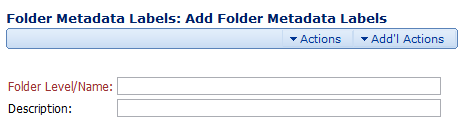
The Folder Metadata Labels: Add Folder Metadata Labels page allows you to create new Folder Metadata Labels with the following options:
- Folder Level/Name. This is the name of the Folder Metadata Label. This is the name you’ll see in the Folder Metadata drop-down menu when you go to the Content Explorer to attach this label to a folder.
- Description. This is a description of the Folder Metadata Label.
The Actions and Add'l Actions Menu
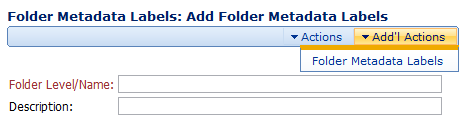
The Actions and Add'l Actions menu has the following options:
- Save. Saves the current Folder Metadata Label.
- Reset. Restores the fields to their original values.
- Folder Metadata Labels. Takes you to the Manage Metadata: Folder Metadata Labels page where you can view a list of all the Folder Metadata Labels.
Comments