
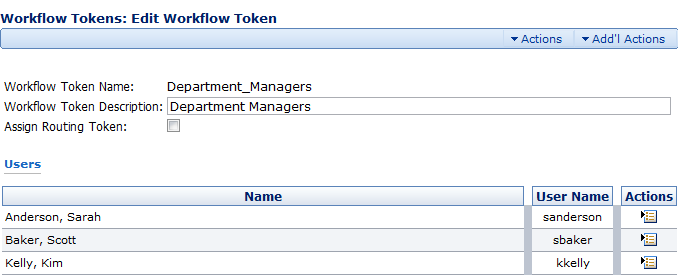
In this case, three people have been assigned to this single workflow token. This means that any or all of them could be assigned a step in a workflow.
The Edit Workflow Tokens page has the following parameters:
- Workflow Token Name. The name of the workflow token.
- Workflow Token Description. A description of who the token applies to or how the token applies to the workflow.
- Assign Routing Token. If this item is checked, you’ll get a drop-down menu in the Content Check In Form that will allow you to assign a specific workflow step to a specific person.
- Users. The list of users in the system to whom the token applies.
The Item Actions Menu

The Item Actions menu has the following option:
- Delete. Deletes the user from the list of users to which the workflow token can apply.
Comments