
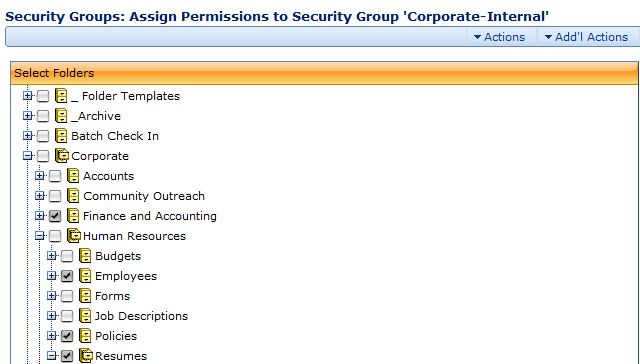
The Assign Permissions to Security Group page allows you to identify folders you want to include in a Security Group. Select folders for inclusion by checking their check boxes. Selecting a parent folder does not automatically select the child folders it contains.
The Actions and Add'l Actions Menu
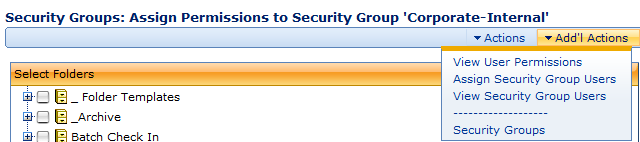
The following options are available from the Actions and Add'l Actions menu:
- Save. Saves changes you’ve made to the current Security Group.
- View User Permissions. Takes you to the Security Groups: Permissions Assigned to Security Group page where you can view the list of folders in the Security Group and the type of access users have to those folders.
- Assign Security Group Users. Takes you to the Security Groups: Assign Users page where you can assign users to a Security Group.
- View Security Group Users. Takes you to the Security Groups: Assigned Users page where you can view the users assigned to a Security Group.
- Security Groups. Takes you to the Manage Users: Security Groups page where you can view all Security Groups.
Comments